Miglior Firmware Android 4.1 Jelly Bean per Nexus S
Installare Android 4.1 Jelly Bean su Nexus SVolete installare Android 4.1 Jelly Bean sul vostro Nexus S?Ecco a voi il miglior firmware attualmente disponibile.In attesa che Google rilasci Jelly Bean i...
 Riccardo Conti
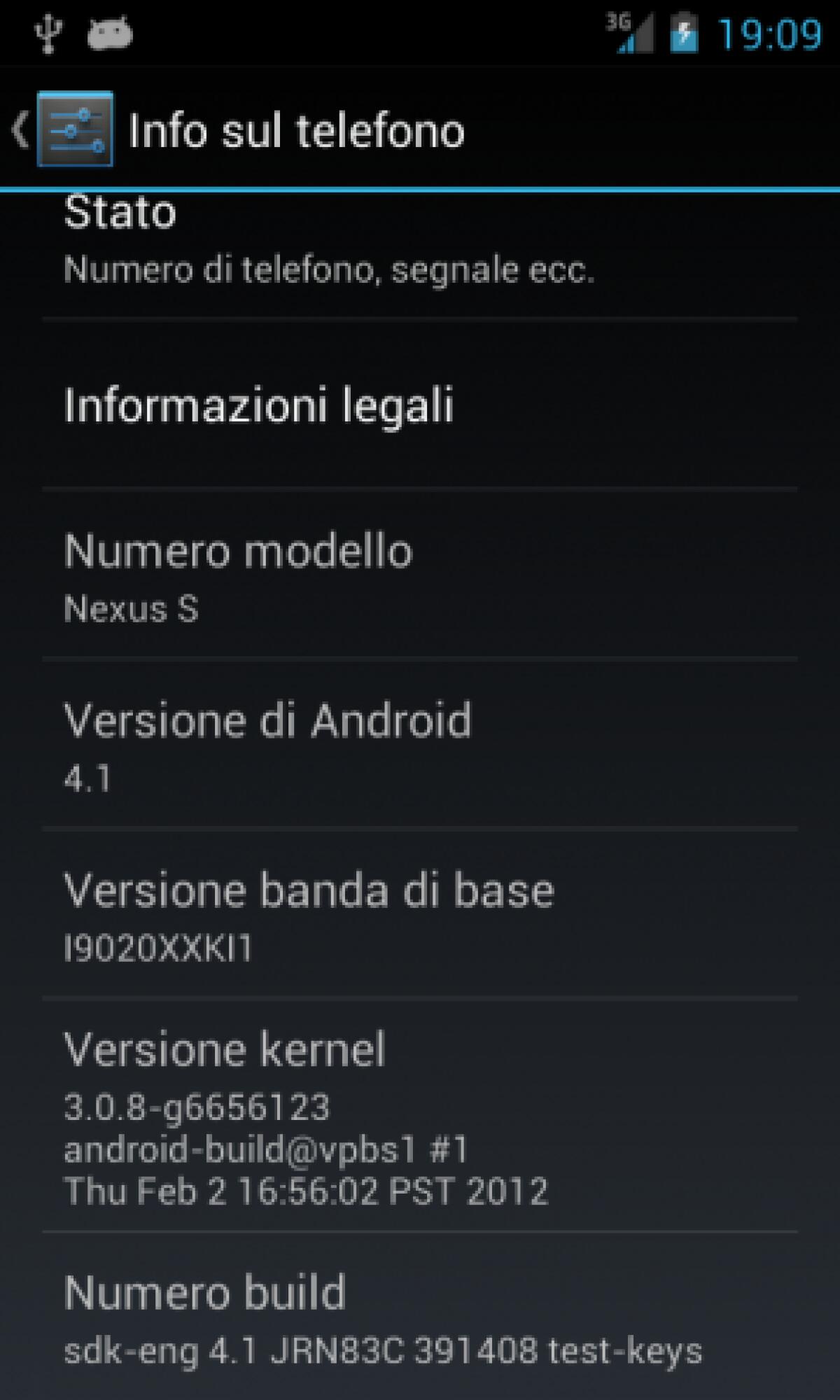
Installare Android 4.1 Jelly Bean su Nexus S
Volete installare Android 4.1 Jelly Bean sul vostro Nexus S?
Ecco a voi il miglior firmware attualmente disponibile.

In attesa che Google rilasci Jelly Bean in modo ufficiale anche su Nexus S, ecco a voi un ottimo custom firmware che vi consentirà di provare in anteprima tutte le novità dell'ultima versione di Android su Nexus S.
Il firmware, ovviamente, viene dalla cucina di XDA e attualmente è senza ombra di dubbio il migliore in circolazione.
Al momento, infatti, questo firmware Jelly Bean 4.1 per Nexus S sembra non avere alcun tipo di bug o problema.
Ecco le caratteristiche complete del firmware:
- Based on the Jelly Bean SDK release (JRN83C), with Google apps and other components from the Nexus 7 factory image (JRN84D). Hardware-related files and kernel from the ICS IMM76D release for Nexus S. (The source for the GPL components (mainly the kernel) is available from http://android.googlesource.com/.) The wifi hack (libhardware_legacy.wifi.so) is posted farther down this thread (including source).
- Remarkably smooth. Project Butter really lives up to its name. (I’ve made one tweak in the init.herring.rc to make the default ICS cpufreq governor more aggressive in upping the clock frequency, in order to simulate the change in governor in the Jelly Bean kernel.)
- Wifi, Bluetooth, GPS, GSM all work. NFC should work.
- Sound and calls work as of July 9 (SP1).
- Video recording works as of July 10 (SP2).
- Tethering, including wifi tethering, works as of July 11 (SP3).
- Calls via a Bluetooth headset work as of July 11 (SP3).
- Google Now/voice search, offline voice text input, voice dialing, and text-to-speech all work as of July 11 (SP4).
Come possiamo leggere, funziona praticamente tutto.
Il firmware si basa sull'ultima release ufficiale di Google, che è stata modificata solo per funzionare al meglio su Nexus S.
I diritti di ROOT non sono inclusi, ma potete ottenere facilmente il ROOT installando il file Superuser direttamente da Recovery modificata.
Essendo un custom firmware, va installato sempre da recovery. Se non sapete come fare, ecco la nostra guida universale:
Come installare Custom Firmware su Android
Trovate maggiori info e il download su XDA.
Provatelo e fateci sapere come vi trovate. Chi lo ha installato, per ora è molto soddisfatto.
👉 Iscriviti al canale WhatsApp di YourLifeUpdated
Ricevi solo le notizie e le guide più importanti, senza spam.
Hai bisogno di aiuto o consigli rapidi?
💬 Supporto diretto: entra nel gruppo Telegram – CLICCA QUI
👥 In alternativa, unisciti al nostro Gruppo Facebook
🔥 Le migliori offerte tech, ogni giorno
💰 Unisciti al gruppo OFFERTE TECH (oltre 16.000 utenti)
Seleziono solo offerte davvero convenienti per farti risparmiare tempo e denaro.
Seguici anche qui:
📰 Google News o Facebook – per non perdere nessuna novità
🎥 YouTube – recensioni oneste, test e guide pratiche
💡 Vuoi risparmiare su Amazon?
🚀 Prova Amazon Prime gratis oppure
🛒 scopri le migliori offerte Amazon di oggi