Scanthing OCR v1.34 APK, lo smartphone Android diventa uno scanner OCR
Download Scanthing OCR v1.34 APK, lo smartphone Android diventa uno scanner OCRScanthing OCR è un programma per Android particolarmente indicato per l'utenza business.Cosa permette di fare Scanthing O...
 Riccardo Conti
Download Scanthing OCR v1.34 APK, lo smartphone Android diventa uno scanner OCR

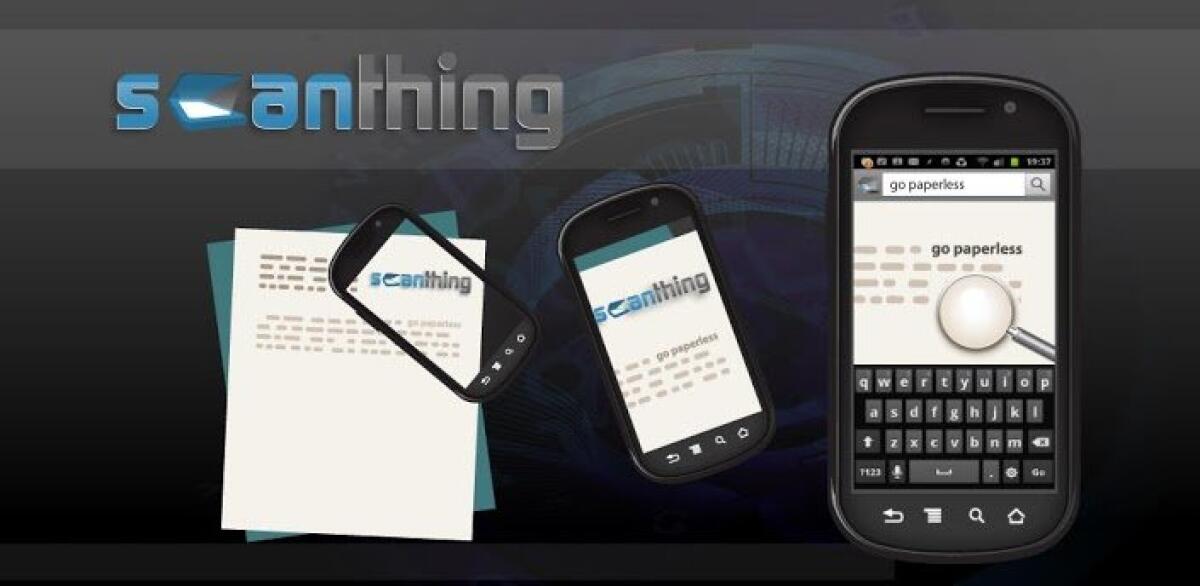
Scanthing OCR è un programma per Android particolarmente indicato per l'utenza business.
Cosa permette di fare Scanthing OCR?
Come si può intuire dal nome, è un potente software per Android che consente di convertire immagini in testo. Non solo va a scansionare una particolare immagine, permettendovi di salvarla sullo smartphone o sul tablet, ma offre la possibilità di trasformare un testo stampato in un vero e proprio testo digitale.
In pratica, il programma inquadra un qualsiasi documento o giornale, riconosce il testo e non si limita a fare una foto, ma converte l'immagine in testo.
Convertire immagini in testo e scansionare documenti su Android con Scanthing OCR.
Il testo, una volta convertito, può diventare un documento, facilmente utilizzabile con programmi di Office o facilmente condivisibile sul web con i più classici programmi (mail e social network in primis).
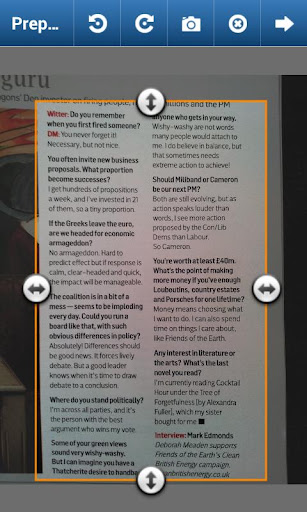
Il programma offre funzionalità avanzate per ruotare le immagini scattate, ritagliarle, estrarre il testo dalle immagini e altro ancora.
Volendo è anche possibile tradurre direttamente il testo con Google Translate, ma la traduzione spesso lascia a desiderare.
Come dicevamo, una volta salvato il documento scansionato, potrete condividerlo con programmi come Email, Dropbox, Evernote.
Il programma funziona anche in italiano ed è veramente consigliato. Anche se al momento non vi serve, salvatelo e installatelo sul vostro smartphone. Potrebbe sempre arrivare il momento giusto per usarlo e per sfruttare al meglio le sue tantissime funzionalità.
DESCRIZIONE E DOWNLOAD
Scanthing extracts text from pictures and documents and allows you to search for them by keywords on your phoneusing OCR (Optical Character Recognition) technology. Its the only Document Scanner you need.
Features :
- Capture image using our dedicated camera, your mobile’s own camera or existing image from gallery
- Rotate and crop the text you want to extract.
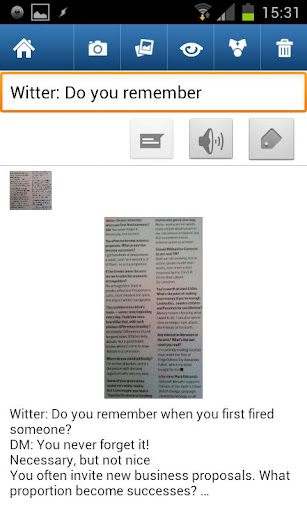
- Then extract the text using our powerful server-side OCR that runs in the background so you can carry on usingyour phone.
- Works with all printed typefaces, but please note it will not be able to read your handwriting.
- Use with Google Translate on your phone to convert from one of the 33 languages we support to another.
- Fully secured HTTPS connection to our servers. We do not retain your image or extracted text after processing.
- After Scan, search for your documents by just using a few keywords.
- Share image or extracted text by Email, Dropbox, Evernote, Google Translate and other apps.
- Add more images to existing documents, see documents by thumbnails.
- Covert many documents at once in a batch, because the OCR processing is done on our servers the performance of your phone is not affected.
- Associate Tags with your documents and then use Tags to find documents fast when your on the move.
- Support for 33 languages, just set your default version in the settings.
What's in this version: (Updated : Feb 3, 2013)
- Fix crash with Text-To-speech
Required Android O/S : 2.2+
Screenshots :

Download : 3Mb APK

👉 Iscriviti al canale WhatsApp di YourLifeUpdated
Ricevi solo le notizie e le guide più importanti, senza spam.
Hai bisogno di aiuto o consigli rapidi?
💬 Supporto diretto: entra nel gruppo Telegram – CLICCA QUI
👥 In alternativa, unisciti al nostro Gruppo Facebook
🔥 Le migliori offerte tech, ogni giorno
💰 Unisciti al gruppo OFFERTE TECH (oltre 16.000 utenti)
Seleziono solo offerte davvero convenienti per farti risparmiare tempo e denaro.
Seguici anche qui:
📰 Google News o Facebook – per non perdere nessuna novità
🎥 YouTube – recensioni oneste, test e guide pratiche
💡 Vuoi risparmiare su Amazon?
🚀 Prova Amazon Prime gratis oppure
🛒 scopri le migliori offerte Amazon di oggi