Video Tutorial e Video Review: Ditto Note 3. Come trasformare il Samsung Note 2 in un Note 3!
In quest'articolo: Review e Guida all'installazione della ROM DN3 che consente di trasformare il Samsung Note 2 in un Note 3! Samsung Note 2: Siete possessori di un Samsung Galaxy Note 2 e volete pass...
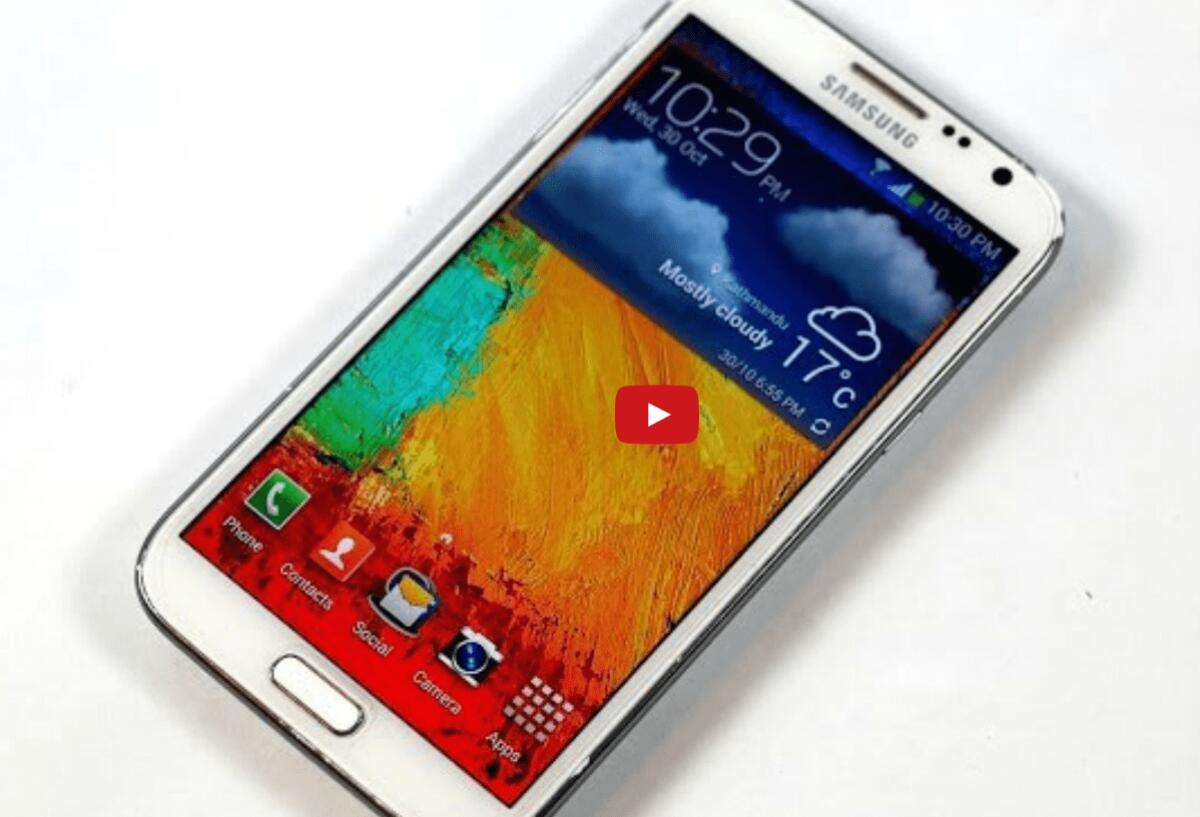
In quest'articolo: Review e Guida all'installazione della ROM DN3 che consente di trasformare il Samsung Note 2 in un Note 3!
[dropcap]S[/dropcap]amsung Note 2: Siete possessori di un Samsung Galaxy Note 2 e volete passare ad un Samsung Note 3? Be se rinunciate ai 16MPX di fotocamera allora basta semplicemente installare la ROM DN3 che vi consente di effettuare un corposo upgrade al vostro Note 2. Non solo Android 4.4.2 ma la rom contiene tutte le ultime chicche software che Samsung ha preinstallato sui nuovi Note3 e Samsung Galaxy S5.
E si avete capito bene poiché la rom implementa anche software del Galaxy S5 del calibro "Download Booster", "Ultra Power Saving Mode".......ma vediamola nel dettaglio.
Caratteristiche provenienti dal Note 3:
- - Air Command
- - Smart Scroll
- - Smart Pause
- - Signature Lock
- - Note 3 Multiwindow Style
- - Writting Buddy (Direct Pen Input)
- - One Hand Operation in All Screens
- - Note 3 Icons
- - Note 3 Launcher
- - Note 3 MyFiles
- - Note 3 SNote
- - Note 3 S FInder
- - Note 3 ScrapBook
- - Note 3 SketchBook
- - Note 3 Story Album
- - Note 3 Quick Glance
- - Note 3 incoming call notification pop-up
- - Note 3 Popup menu in many note 3 apps.
- - Other note 3 apps like contacts,msg etc.
- - Pen Window Manager from @xperiacle
- - Possible to use the same app in both multi-windows
- - Note 3 and Galaxy S5 Settings with search feature. You can choose between both of them
- - DN3 Exclusive feature called AnyApp allows fully customisable air command
Caratteristiche provenienti dall'S5:
- - Galaxy S5 Toolbox feature
- - Galaxy S5 Power Saving Mode
- - Galaxy S5 Ultra Power Saving Mode
- - Galaxy S5 Launcher and Magazine app
- - Galaxy S5 theme chooser
- - Galaxy S5 Wallpapers
- -New unlock effects from S5
Be siete ancora convinti di voler passare ad un Note 3 o Note 3 Neo? Inutile ;)
ROM DN3: La recensione Completa (By lo Sviluppatore)
[youtuber youtube='http://www.youtube.com/watch?v=nbh2LZbzlYg']
ROM DN3: La guida all'installazione
Scaricate la rom da qui: Download DItto Note 3
1) Avere installato Samsung 4.3 Bootloader o successivo. MJ5 firmware Bootloader è raccomandato per non incrementare knox counter. Info qui:http://forum.xda-developers.com/show....php?t=2205009 e qui: http://forum.xda-developers.com/show....php?t=2500823.
2) Avere installato l'ultima TWRP/CWM recovery.
3) Fate un backup delle vostre app e della cartella efs.
4) Andate in TWRP/CWM recovery premendo contemporaneamente home + power + volume su.
5) Fate un nandroid backup.
6) Effettuate un "Clean to install a new rom" in Wipe Data and system.
7) Ora scegliete install rom from zip file.
9) Flash the rom. Tempo richiesto circa 10 minuti fino al successivo boot.
e per concludere ecco la video guida creata dallo sviluppatore
[youtuber youtube='http://www.youtube.com/watch?v=U3JdD8jjntY']
PLEASE: Installate la ROM a vostro rischio e pericolo ;) See you later
👉 Iscriviti al canale WhatsApp di YourLifeUpdated
Ricevi solo le notizie e le guide più importanti, senza spam.
Hai bisogno di aiuto o consigli rapidi?
💬 Supporto diretto: entra nel gruppo Telegram – CLICCA QUI
👥 In alternativa, unisciti al nostro Gruppo Facebook
🔥 Le migliori offerte tech, ogni giorno
💰 Unisciti al gruppo OFFERTE TECH (oltre 16.000 utenti)
Seleziono solo offerte davvero convenienti per farti risparmiare tempo e denaro.
Seguici anche qui:
📰 Google News o Facebook – per non perdere nessuna novità
🎥 YouTube – recensioni oneste, test e guide pratiche
💡 Vuoi risparmiare su Amazon?
🚀 Prova Amazon Prime gratis oppure
🛒 scopri le migliori offerte Amazon di oggi