Come creare PDF facilmente con PDF to JPG Converter (Win and Mac) Gratis
Come creare PDF facilmente con PDF to JPG Converter (Win and Mac) GratisPDF To JPG Converter è un’utility per Windows che converte velocemente i documenti PDF in immagini JPG,BMP,TIF,GIF e PNG. Con PD...
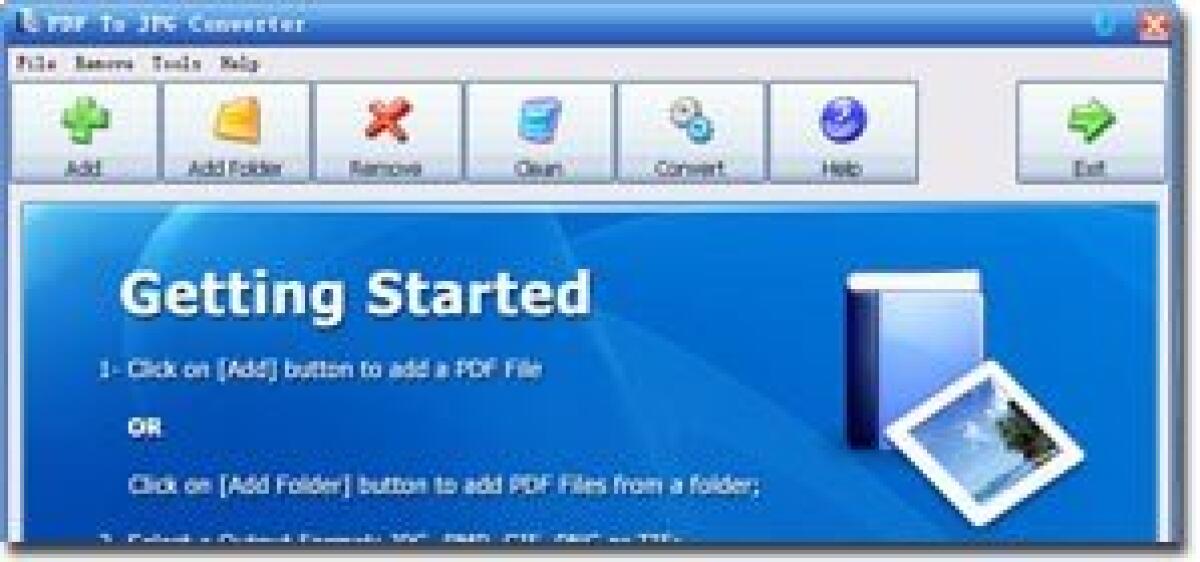
Come creare PDF facilmente con PDF to JPG Converter (Win and Mac) Gratis
PDF To JPG Converter è un’utility per Windows che converte velocemente i documenti PDF in immagini JPG,BMP,TIF,GIF e PNG. Con PDF To JPG Converter possono anche convertire i PDF in JPG in base a un determinato novero di pagine e regolare il DPI dei file di output.
Funzionalità principali:
- Supporto per il Batch Mode
- Supporta la conversione di PDF in JPG, BMP,TIF,GIF e PNG
- Supporta la conversione solo delle pagine selezionate
- Supporta la personalizzazione del DPI
Caratteristiche PDF to JPG Converter (Win and Mac):
Convertire PDF in JPG
PDF To JPG Converter allows users to convert PDF to JPG images, so that users will be able to use the PDF information on website, or read the content without PDF readers.
Esportare PDF in Immagini ad alta qualità
By modifying the DPI setting to a high number, PDF To JPG Converter will export large and high quality images from PDF. Users can use the exported high quality images for printing or publishing ads.
Batch Mode
Users can add hundreds of PDF documents from a folder, or drag them and drop to the file list. PDF To JPG Converter will convert PDFs to images in separate folders.
Conversione Veloce
PDF To JPG Converter has a fast conversion engine which will convert PDF docs 180% faster than other normal PDF converters. Saving time is saving money.
Molti formati di uscita supportati
Converting PDF to JPG is not the only function of PDF To JPG Converter. The program also supports to convert PDF to TIF, PNG, GIF and BMP formats. Users have much more options for the final converted image format with this converter.
Solo per oggi, PDF to JPG Converter (Win and Mac) è offerto gratuitamente.
Per usufruire dell’offerta dovete scaricare ed installare il Software dal Link al fondo dell’articolo, scompattate il file .ZIP scaricato, quindi avviare il file .EXE appena scaricato e installate PDF to JPG Converter (Win and Mac) una volta completata l'installazione cliccate sul file di testo ReadMe.txt per sapere come ricevere la licenza gratuita per attivare la versione completa di PDF to JPG Converter (Win and Mac).
Scaricate PDF to JPG Converter (Win and Mac) Gratis cliccando sul seguente pulsante:
Download PDF to JPG Converter Win Gratis
Download PDF to JPG Converter MAC Gratis
👉 Iscriviti al canale WhatsApp di YourLifeUpdated
Ricevi solo le notizie e le guide più importanti, senza spam.
Hai bisogno di aiuto o consigli rapidi?
💬 Supporto diretto: entra nel gruppo Telegram – CLICCA QUI
👥 In alternativa, unisciti al nostro Gruppo Facebook
🔥 Le migliori offerte tech, ogni giorno
💰 Unisciti al gruppo OFFERTE TECH (oltre 16.000 utenti)
Seleziono solo offerte davvero convenienti per farti risparmiare tempo e denaro.
Seguici anche qui:
📰 Google News o Facebook – per non perdere nessuna novità
🎥 YouTube – recensioni oneste, test e guide pratiche
💡 Vuoi risparmiare su Amazon?
🚀 Prova Amazon Prime gratis oppure
🛒 scopri le migliori offerte Amazon di oggi