Convertire file audio FLAC in MP3 ed altri formati
Convertire file audio FLAC in MP3 ed altri formatiFLAC To MP3 è un convertitore audio progettato per convertire FLAC in MP3, WMA, M4A, AAC, WAV e altri formati audio rapidamente su piattaforme Windows...

Convertire file audio FLAC in MP3 ed altri formati

FLAC To MP3 è un convertitore audio progettato per convertire FLAC in MP3, WMA, M4A, AAC, WAV e altri formati audio rapidamente su piattaforme Windows e Mac OS X. Con FLAC To MP3 Converter, sarai in grado di convertire canzoni FLAC in formato audio MP3 in pochi click. Inoltre, il convertitore comprende la Modalità Batch per convertire decine di file FLAC in MP3 e altri formati musicali insieme.
Ecco la guida su come funziona il programma FLAC To MP3 presa direttamente da sito del produttore.
How to Convert FLAC to MP3
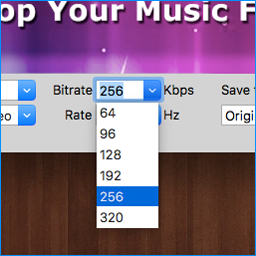
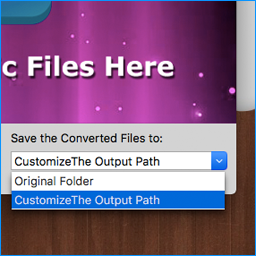
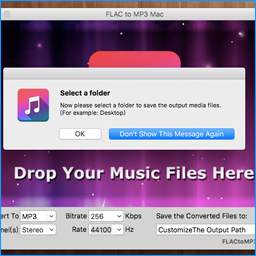
1. Select the Output Audio Format The first option box on the application UI (user interface) is the output format. The MP3 format has been chosen by default.2. Set Audio Options You can set the output MP3 audio bit rate, channel and rate on the UI. You will need to set these options before selecting your FLAC files.
Solo per oggi, FLAC To MP3 5.0 è offerto gratuitamente.
Per usufruire dell’offerta dovete scaricare ed installare il programma cliccando sul link al fondo dell’articolo, dovete scompattate il file .ZIP, quindi avviare il file .EXE (se presente nel file) appena scaricato ed installate il programma seguendo la procedura di installazione guidata di FLAC To MP3 5.0 ed una volta completata l'installazione cliccate sul file di testo ReadMe.txt per sapere come ricevere la licenza gratuita in modo da attivare la versione completa di FLAC To MP3 5.0.
Potete scaricare FLAC To MP3 5.0 gratis cliccando sul seguente pulsante:
Download FLAC To MP3 5.0 Gratis
👉 Iscriviti al canale WhatsApp di YourLifeUpdated
Ricevi solo le notizie e le guide più importanti, senza spam.
Hai bisogno di aiuto o consigli rapidi?
💬 Supporto diretto: entra nel gruppo Telegram – CLICCA QUI
👥 In alternativa, unisciti al nostro Gruppo Facebook
🔥 Le migliori offerte tech, ogni giorno
💰 Unisciti al gruppo OFFERTE TECH (oltre 16.000 utenti)
Seleziono solo offerte davvero convenienti per farti risparmiare tempo e denaro.
Seguici anche qui:
📰 Google News o Facebook – per non perdere nessuna novità
🎥 YouTube – recensioni oneste, test e guide pratiche
💡 Vuoi risparmiare su Amazon?
🚀 Prova Amazon Prime gratis oppure
🛒 scopri le migliori offerte Amazon di oggi