Presentation Assistant Standard Edition 2.7.2 Gratis con Licenza: Prendere note su schermo, zoomare presentazioni e realizzare dimostrazioni con fini didattici [App Windows]
Presentation Assistant Standard Edition 2.7.2 Gratis con Licenza: Prendere note su schermo, zoomare presentazioni e realizzare dimostrazioni con fini didattici Presentation Assistant è uno dei miglior...
![Presentation Assistant Standard Edition 2.7.2 Gratis con Licenza: Prendere note su schermo, zoomare presentazioni e realizzare dimostrazioni con fini didattici [App Windows] -](https://cdn11.webmaster360.it/2013/06/covers/rsstsI7JWZvYNWGS23dDKQt5qbvUH6U9BpexkYkQ.jpg)
Presentation Assistant Standard Edition 2.7.2 Gratis con Licenza: Prendere note su schermo, zoomare presentazioni e realizzare dimostrazioni con fini didattici [App Windows]
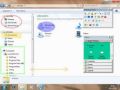
Presentation Assistant è uno dei migliori strumenti per realizzare annotazioni su schermo, zoomare presentazioni e realizzare dimostrazioni con fini didattici. Ideale per l’insegnamento, le riunioni e l’illustrazione di prodotti o servizi. Il programma consente agli utenti di realizzare annotazioni su schermo e zoomare le aree delle presentazioni in tempo reale. Con gli strumenti di annotazione inclusi, è possibile disegnare tutti i tipi di linee, rettangoli, cerchi, o aggiungere testi e immagini sullo schermo.

Presentation Assistant offre anche altri strumenti, quali orologio, lente d’ingrandimento, evidenziazione, cattura dello schermo e molto altro ancora.
Features:


- Pen, Brush, Line, Poly Line, Rectangle, Ellipse, Text, Image, Shape Recognition
- Transparency Effects.
- Different pen width and color.
- Undo, Redo, Export
- Draw freely on the board
- Add as many boards as you want
- Set different background color


- Zooming screen with the keyboard or wheel
- Zoom with selection rectangle
- Allow annotating
- Different Shapes
- Transparency Effects


- Displays a countdown or a normal clock on the projection screen.
- Open documents and programs quickly during the presentation.


- Playing background music conveniently.
- Quickly move windows between monitors.


- Highlight Visibility Pointer
- Highlight Mouse Movements
- Spotlight Effect
- Display a circle when you click your mouse
- Different colors for different buttons
- Animation Effect
- Play Click Sounds


- Allows you to draw freely on the screen but not lock the screen.
- Draw horizontal, vertical lines
- Draw arrow lines
- Press hotkey to clear all
- Zoom in and zoom out the windows but allows you to work on the screen.
- Support the drawing


- Displays your keystrokes in an overlay at the bottom of the screen.
- Keystroke Filter: Allows you to define a list of custom keystrokes that will not be displayed.
- Activate or deactivate all effects with the toggle Hotkey.
- All effects can be operated in two different modes: Standalone or Together.
- Everything about Presentation Pointer is customizable:


- Drag on the Arrow Point to move in any direction
- Select different color and change the size
- Capture entire screen, selected window or region of screen.


Solo per il oggi, 27 Giugno 2013, Presentation Assistant Standard Edition 2.7.2 è offerto gratuitamente.
Per usufruire dell’offerta dovete scaricare ed installare il Software dal Link al fondo dell’articolo, avviare il file Setup.EXE e seguire le istruzioni presenti nel file readme.txt per attivare Presentation Assistant Standard Edition nella versione completa senza limitazioni.
Download Presentation Assistant Standard Edition 2.7.2 Gratis
👉 Iscriviti al canale WhatsApp di YourLifeUpdated
Ricevi solo le notizie e le guide più importanti, senza spam.
Hai bisogno di aiuto o consigli rapidi?
💬 Supporto diretto: entra nel gruppo Telegram – CLICCA QUI
👥 In alternativa, unisciti al nostro Gruppo Facebook
🔥 Le migliori offerte tech, ogni giorno
💰 Unisciti al gruppo OFFERTE TECH (oltre 16.000 utenti)
Seleziono solo offerte davvero convenienti per farti risparmiare tempo e denaro.
Seguici anche qui:
📰 Google News o Facebook – per non perdere nessuna novità
🎥 YouTube – recensioni oneste, test e guide pratiche
💡 Vuoi risparmiare su Amazon?
🚀 Prova Amazon Prime gratis oppure
🛒 scopri le migliori offerte Amazon di oggi