Rimuovere Sfondo da foto ed immagini Facilmente
Rimuovere Sfondo da foto ed immagini FacilmentePhoto Background Remover aiuta a pulire gli scatti digitali da sfondi indesiderati in modalità batch. La rimozione manuale viene eseguita con l'aiuto di...
Rimuovere Sfondo da foto ed immagini Facilmente
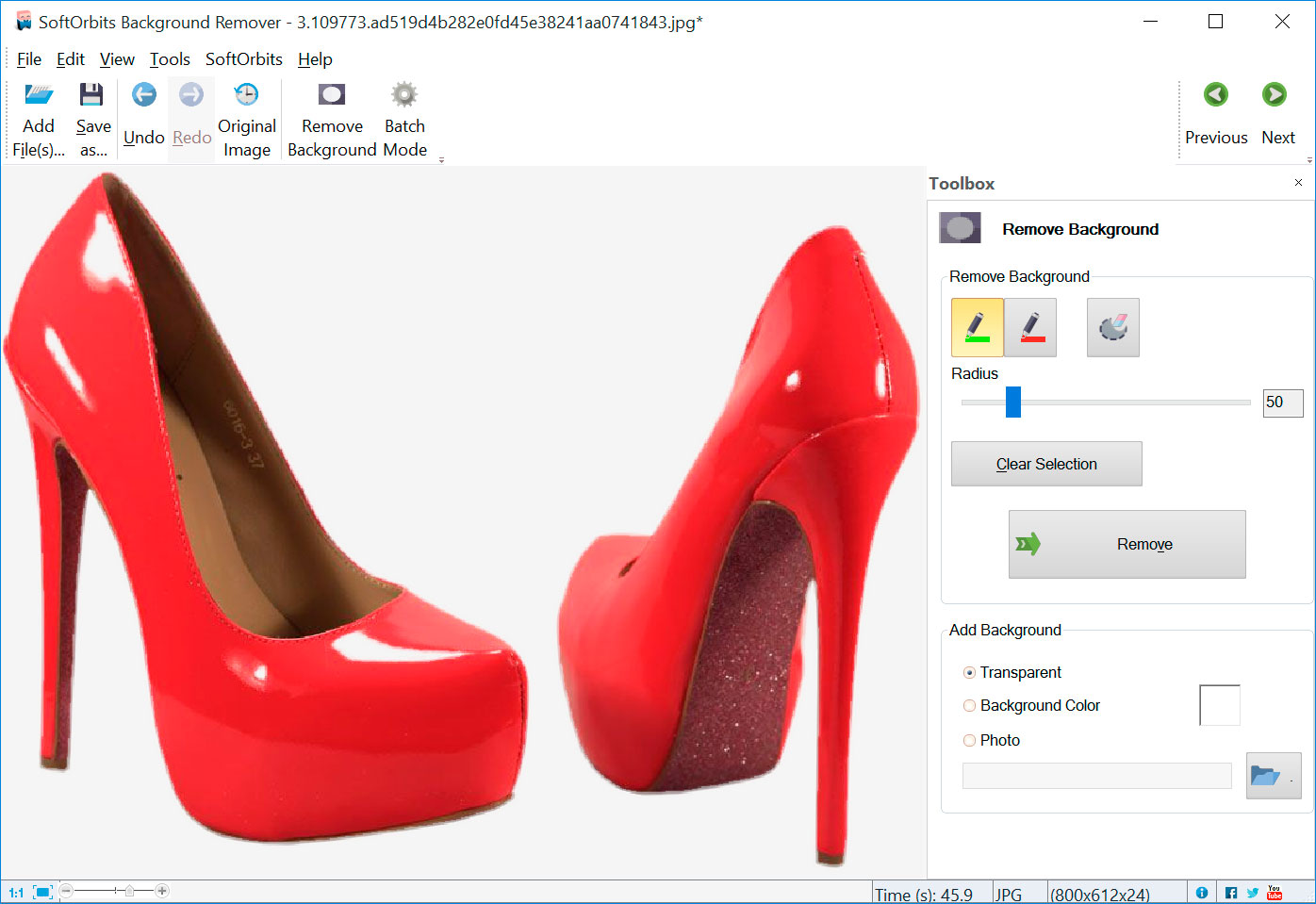
Photo Background Remover aiuta a pulire gli scatti digitali da sfondi indesiderati in modalità batch. La rimozione manuale viene eseguita con l'aiuto di due marker: un marker rosso viene utilizzato per definire l'area dello sfondo che verrà rimosso, mentre il marker verde seleziona l'area, che rimane invariato.
La rimozione automatica dello sfondo non richiede regolazioni manuali, il programma pulisce l'immagine da sé. Il programma presenta anche la protezione con watermark.
Features
- No Jagged Edges Jagged edges are a thing of the past with Photo Background Remover. Objects such as faces, people or photographed goods will be carefully selected, and their edges automatically smoothed to blend with the new background. Whether you paste that object into a new image or leave it on plain white, solid-color or textured background, the object will look natural and its edges won't appear pixelated.
- Automatic Background Removal Photo Background Remover is smart enough to tell what's background and what's the main object, so there won't be any need to circle your object with a pen. You can simply click anywhere in the picture to tell whether that object is something to keep or something to clear.
- Manual Adjustments Fully automatic background removal is great, but what if that picture has more than object to keep? You can guide Photo Background Remover to tell what's what. Simply mark objects you're keeping with a green marker, or mark areas to remove with a red one, and Photo Background Remover will apply its smart selection techniques to remove just the unwanted parts of the image.
Solo per oggi, Photo Background Remover 4.1 è offerto gratuitamente.
Per usufruire dell’offerta dovete scaricare ed installare il programma cliccando sul link al fondo dell’articolo, dovete scompattate il file .ZIP, quindi avviare il file .EXE (se presente nel file) appena scaricato ed installate il programma seguendo la procedura di installazione guidata di Photo Background Remover 4.1 ed una volta completata l'installazione cliccate sul file di testo ReadMe.txt per sapere come ricevere la licenza gratuita in modo da attivare la versione completa di Photo Background Remover 4.1.
Potete scaricare Photo Background Remover 4.1 gratis cliccando sul seguente pulsante:
Download Photo Background Remover 4.1 Gratis
👉 Iscriviti al canale WhatsApp di YourLifeUpdated
Ricevi solo le notizie e le guide più importanti, senza spam.
Hai bisogno di aiuto o consigli rapidi?
💬 Supporto diretto: entra nel gruppo Telegram – CLICCA QUI
👥 In alternativa, unisciti al nostro Gruppo Facebook
🔥 Le migliori offerte tech, ogni giorno
💰 Unisciti al gruppo OFFERTE TECH (oltre 16.000 utenti)
Seleziono solo offerte davvero convenienti per farti risparmiare tempo e denaro.
Seguici anche qui:
📰 Google News o Facebook – per non perdere nessuna novità
🎥 YouTube – recensioni oneste, test e guide pratiche
💡 Vuoi risparmiare su Amazon?
🚀 Prova Amazon Prime gratis oppure
🛒 scopri le migliori offerte Amazon di oggi