Tracciare i LOG di Windows
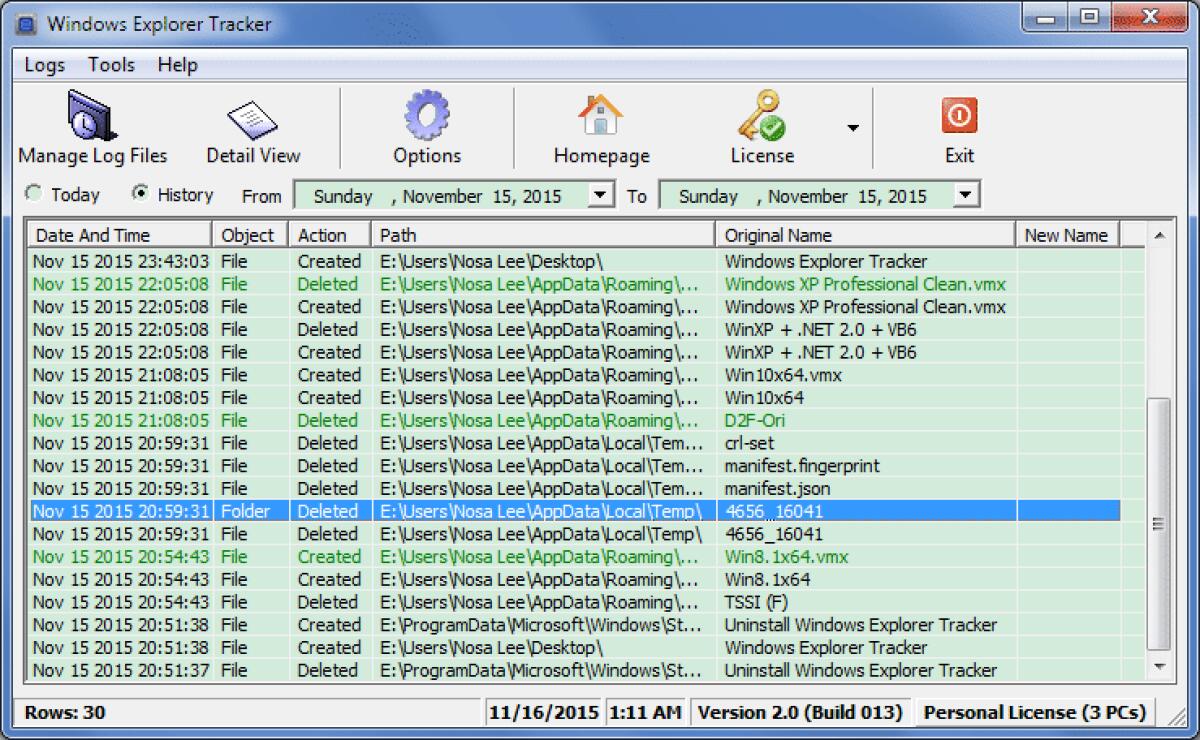
Tracciare i LOG di WindowsWindows Explorer Tracker viene utilizzato per tracciare/monitorare e registrare le operazioni in Windows Explorer automaticamente, come "Cancella", "Rinomina", "Crea", "Inser...
Tracciare i LOG di Windows
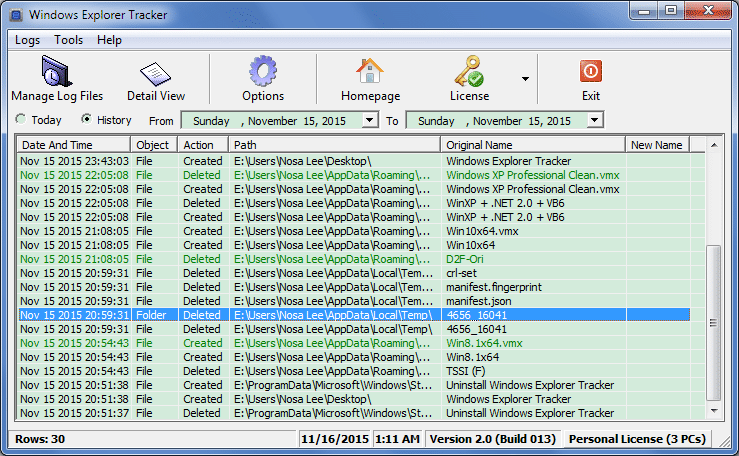
Windows Explorer Tracker viene utilizzato per tracciare/monitorare e registrare le operazioni in Windows Explorer automaticamente, come "Cancella", "Rinomina", "Crea", "Inserisci", "Aggiungi" e "Rimuovi" su file, cartelle, drive e supporti di memoria. Puppoi anche utilizzarlo per tracciare e registrare azioni su host remoti attraverso i drive di rete mappati. Registra le operazioni originali in alcuni file .log e li nomina in base alla data.
Features
- Important: perfected UI effect for any system DPI setting, in any supported Operating Systems (system DPI setting: in Windows 7, it can be changed at "Control Panel -> Appearance and Personalization -> Display -> Make text and other items larger or smaller").
- Important: supports Windows 8/8.1/10.
- Important: now you can list the history records in any date scope (previous versions can only list the records in current month).
- Important: supports checking new version (automatically and manually).
- Important: uses Golden Ratio for the main interface and its start position.
- Optimized and beautified Options, About interface.
- Optimized the date pickers for history view (uses the long date format).
- Optimized internal efficiency.
- Optimized software icon (main & About interfaces, and exe icon).
- Moved all actions which need to run the default email client to the online webpages, in order to avoid the confusion if who has not a default email client.
- No longer put the autostart shortcut under "Common Startup" menu (replace it with "User Startup" menu), because you cannot decide for others!
- Optimized website texts.
- Optimized software texts.
- Supports pressing <Esc>/<Enter> to close About interface.
- Optimized "Recommend to Friends" function.
- Changed "Microsoft Internet Explorer" string to "Microsoft Web Browser", because Windows 10 uses Microsoft Edge, for consistency, now calls them as "Microsoft Web Browser".
- Optimized Help menu.
- Published as shareware.
Solo per oggi, Windows Explorer Tracker 2.0 è offerto gratuitamente.
Per usufruire dell’offerta dovete scaricare ed installare il programma cliccando sul link al fondo dell’articolo, dovete scompattate il file .ZIP, quindi avviare il file .EXE appena scaricato e installate il programma seguendo la procedura guidata di Windows Explorer Tracker 2.0 una volta completata l'installazione cliccate sul file di testo ReadMe.txt per sapere come ricevere la licenza gratuita in modo da attivare la versione completa di Windows Explorer Tracker 2.0.
Potete scaricare Windows Explorer Tracker 2.0 gratis cliccando sul seguente pulsante:
Download Windows Explorer Tracker 2.0 Gratis
👉 Iscriviti al canale WhatsApp di YourLifeUpdated
Ricevi solo le notizie e le guide più importanti, senza spam.
Hai bisogno di aiuto o consigli rapidi?
💬 Supporto diretto: entra nel gruppo Telegram – CLICCA QUI
👥 In alternativa, unisciti al nostro Gruppo Facebook
🔥 Le migliori offerte tech, ogni giorno
💰 Unisciti al gruppo OFFERTE TECH (oltre 16.000 utenti)
Seleziono solo offerte davvero convenienti per farti risparmiare tempo e denaro.
Seguici anche qui:
📰 Google News o Facebook – per non perdere nessuna novità
🎥 YouTube – recensioni oneste, test e guide pratiche
💡 Vuoi risparmiare su Amazon?
🚀 Prova Amazon Prime gratis oppure
🛒 scopri le migliori offerte Amazon di oggi