Miglior software per Criptare file: Download VeraCrypt Portable
VeraCrypt è un programma multipiattaforma disponibile per Windows e Linux che permette di crittografare file ed interi hard disk in modo gratuito e che riprende lo sviluppo di TrueCrypt, progetto orma...
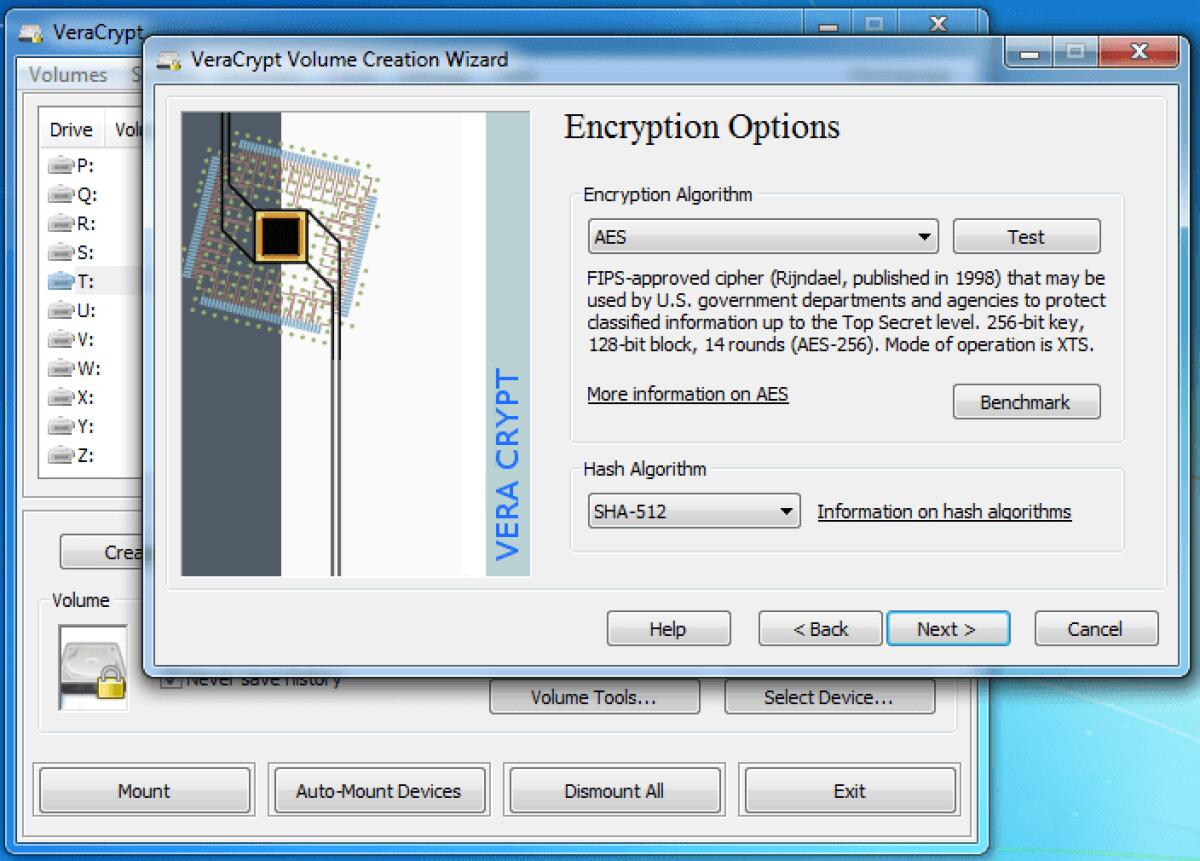
VeraCrypt è un programma multipiattaforma disponibile per Windows e Linux che permette di crittografare file ed interi hard disk in modo gratuito e che riprende lo sviluppo di TrueCrypt, progetto ormai abbandonato. VeraCrypt permette di crittografare tutto il contenuto dell'Hard Disk trasformandolo in un disco virtuale criptato e solo chi conosce la password può accedere ai file contenuti in esso. Supporta diversi tipi di crittografia fino a 2048 Bit in modo da rendere impossibile recuperare i file a chi non è a conoscenza delle chiavi per decriptare il disco. Di seguoto trovate il changelog completo del software.
Chagelog ultima versione
- All OSs:
- Implement "Dynamic Mode" by supporting a Personal Iterations Multiplier (PIM). See documentation for more information.
- Windows:
- Detect Boot Loader tampering ("Evil Maid" attacks) for system encryption and propose recovery options.
- Fix buffer overrun issue and other memory related bugs when parsing language XML files.
- Fix wrongly reported bad sectors by chkdsk caused by a bug in IOCTL_DISK_VERIFY handling.
- Fix privacy issue caused by configuration and history files being updated whenever VeraCrypt is used (reported by Liran Elharar)
- Fix system favorites not always mounting after cold start.
- Solve installer error when updating VeraCrypt on Windows 10.
- Implement decryption of non-system partition/drive.
- Include 64-bit exe files in the installer and deploy them on 64-bit machines for better performances.
- Allow using drive letters A: and B: for mounting volumes
- Make command line argument parsing more strict and robust (e.g. /lz rejected, must be /l z)
- Add possibility to show system encryption password in Windows GUI and bootloader
- Solve "Class Already exists" error that was happening for some users.
- Solve some menu items and GUI fields not translatable
- Make volumes correctly report Physical Sector size to Windows.
- Correctly detect switch user/RDP disconnect operations for autodismount on session locked.
- Add manual selection of partition when resuming in-place encryption.
- Add command line option (/cache f) to temporarily cache password during favorites mounting.
- Add waiting dialog for Auto-Mount Devices operations to avoid freezing GUI.
- Add extra information to displayed error message in order to help analyze reported issues.
- Disable menu entry for changing system encryption PRF since it's not yet implemented.
- Fix failure to change password when UAC required (inherited from TrueCrypt)
- Minor fixes and changes (see Git history for more details)
- Linux:
- Solve installer issue under KDE when xterm not available
- Fix warnings on about/LegalNotice dialogs when wxWidgets linked dynamically (N/A for official binary)
- Support hash names with '-' in command line (sha-256, sha-512 and ripemd-160)
- Remove "--current-hash" switch and add "--new-hash" to be more coherent with existing switches.
- When only keyfile specified in command line, don't try to mount using empty password.
- If mounting using empty password is needed, explicitly specify so using: -p ""
Durante la fase di installazione di VeraCrypt potrete selezionare l'opzione di installazione oppure quella di estrarre i file e creare la versione portable di VeraCrypt. Potete scaricare l'ultima versione di VeraCrypt cliccando sul link seguente:
Download VeraCrypt
👉 Iscriviti al canale WhatsApp di YourLifeUpdated
Ricevi solo le notizie e le guide più importanti, senza spam.
Hai bisogno di aiuto o consigli rapidi?
💬 Supporto diretto: entra nel gruppo Telegram – CLICCA QUI
👥 In alternativa, unisciti al nostro Gruppo Facebook
🔥 Le migliori offerte tech, ogni giorno
💰 Unisciti al gruppo OFFERTE TECH (oltre 16.000 utenti)
Seleziono solo offerte davvero convenienti per farti risparmiare tempo e denaro.
Seguici anche qui:
📰 Google News o Facebook – per non perdere nessuna novità
🎥 YouTube – recensioni oneste, test e guide pratiche
💡 Vuoi risparmiare su Amazon?
🚀 Prova Amazon Prime gratis oppure
🛒 scopri le migliori offerte Amazon di oggi